
The Real Journey (Not the Tutorial Version)
After days of debugging, frustration, and small wins, I finally got my SOC Dashboard running end-to-end on a VPS using:
- Node.js (Express)
- Elasticsearch
- Chart.js
- Nginx
- PM2
But what made this valuable wasn’t the final result; it was the problems along the way.
Here’s what actually happened behind the scenes
🔴 1. “It Works on Localhost… But Not on VPS.”
Everything worked perfectly on my local machine.
Deployed to VPS → nothing worked.
Issues:
- Ports not exposed
- Nginx is not forwarding requests correctly
- localhost confusion between environments
💡 Lesson: “localhost” inside a server ≠ is your browser’s localhost.
🔴 2. Elasticsearch Was Running… But Still Broken
I could open:http://localhost:9200
But API calls failed.
Errors:
- 401 authentication exception
- Empty reply from server
- security_exception
Root Cause: Elasticsearch was running with security enabled (HTTPS + auth)
💡 Fix:
- Used: curl -k -u elastic: PASSWORD https://localhost:9200
- Added auth in Node client
- Switched from HTTP → HTTPS
🔴 3. Version Mismatch Hell
Error: Accept version must be either version 8 or 7, but found 9
Root Cause: Wrong Node.js Elasticsearch client version
Fix:npm uninstall @elastic/elasticsearchnpm install @elastic/elasticsearch@8
Lesson :Backend libraries MUST match service versions.
🔴 4. Data Exists… But API Returns []
This was the most confusing part.
Elasticsearch clearly had data:
“IpAddress”: “192.168.1.50”
But my API:
[]
Root Causes:
- Wrong index pattern
- Aggregation on a non-keyword field
- Query mismatch (term vs match)
- Mapping issues
Fix (temporary but effective) :Skipped aggregation and parsed _source manually:
- Pulled hits
- Counted IPs in Node.js
- Returned clean JSON
The
Lesson: When ES mapping blocks you → fall back to raw data.
🔴 5. JavaScript Errors That Took Down the Server
These were brutal because they crashed the whole API:
- result is not defined
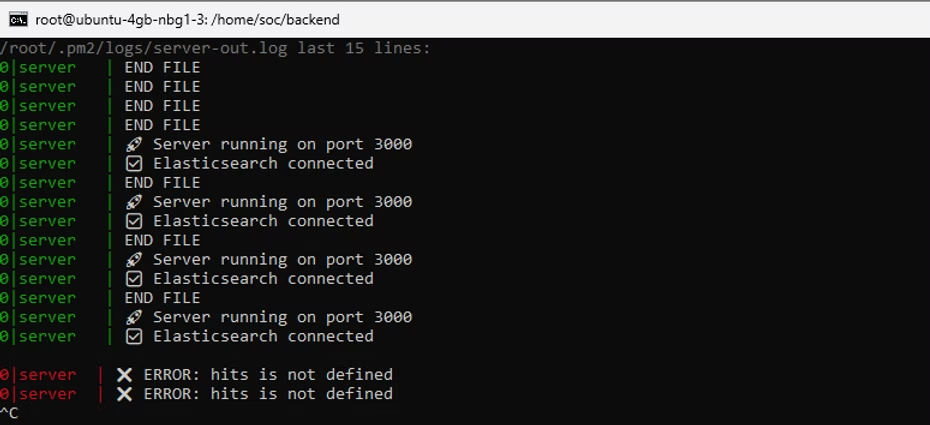
- Hits are not defined
- hits.forEach is not a function
- Malformed arrow function
Root Causes:
- Scope issues
- Syntax mistakes
- Wrong ES response structure
Fix:
- Used safe access:const hits = result?.body?.hits?.hits || []
- Fixed arrow functions
- Ensured everything runs inside the async route
💡 Lesson:One small JS bug = full API failure
🔴 6. PM2 Was “Online”… But API Was Dead
PM2 showed:status: online
But: curl → connection refused
Root Caus :App was crashing after start (runtime error)
Fix:pm2 logs server
Lesson :“online” ≠ working
🔴 7. Nginx Routing Confusion
Browser: Cannot GET /top-ip
But the API worked locally.
Root Cause :Wrong Nginx proxy path
Fix:Mapped:/api/ → Node backend
💡 Lesson: Frontend, backend, and proxy must align perfectly
🟢 Final Result
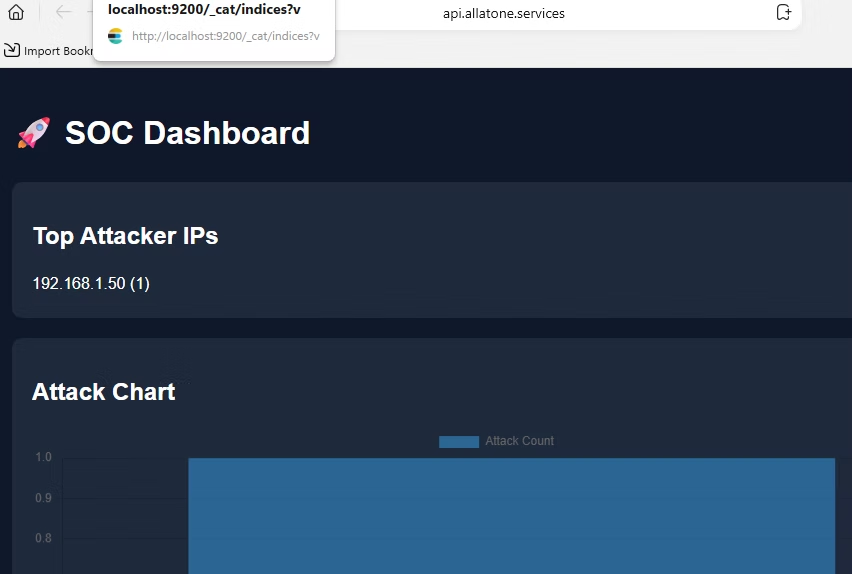
✔ SOC Dashboard Live✔ Real data from Elasticsearch✔ Top attacker IPs visualized✔ Chart updates every few seconds✔ Fully deployed on VPS
Biggest Takeaways
- Debugging is the real skill
- Logs > assumptions
- Version compatibility matters more than you think
- Elasticsearch mapping can silently break everything
- Always test APIs directly before blaming the frontend
This wasn’t just a project. It was a full-stack debugging experience across networking, backend, and data systems.
And honestly… that’s where the real learning happens.
RELATED POSTS
View all